Note
Click here to download the full example code
Comparison Widgets Gallery
Here is a gallery of all the available widgets using SortingExtractor objects.
import spikeinterface.extractors as se
import spikeinterface.widgets as sw
First, let’s create a toy example with the extractors module:
recording, sorting_true = se.example_datasets.toy_example(duration=10, num_channels=4, seed=0)
Let’s run some spike sorting:
import spikeinterface.sorters as ss

sorting_MS4 = ss.run_mountainsort4(recording)
sorting_KL = ss.run_klusta(recording)
Out:
Warning! The recording is already filtered, but Mountainsort4 filter is enabled. You can disable filters by setting 'filter' parameter to False
RUNNING SHELL SCRIPT: /home/docs/checkouts/readthedocs.org/user_builds/spikeinterface/checkouts/0.13.0/examples/modules/widgets/klusta_output/run_klusta.sh
/home/docs/checkouts/readthedocs.org/user_builds/spikeinterface/checkouts/0.13.0/doc/sources/spikesorters/spikesorters/basesorter.py:158: ResourceWarning: unclosed file <_io.TextIOWrapper name=63 encoding='UTF-8'>
  self._run(recording, self.output_folders[i])
Widgets using SortingComparison
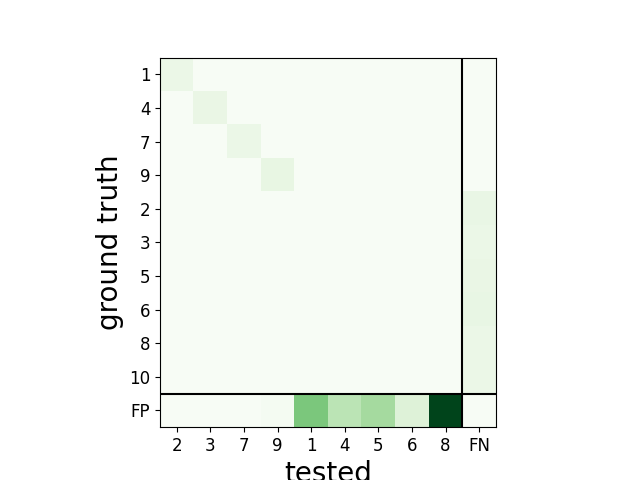
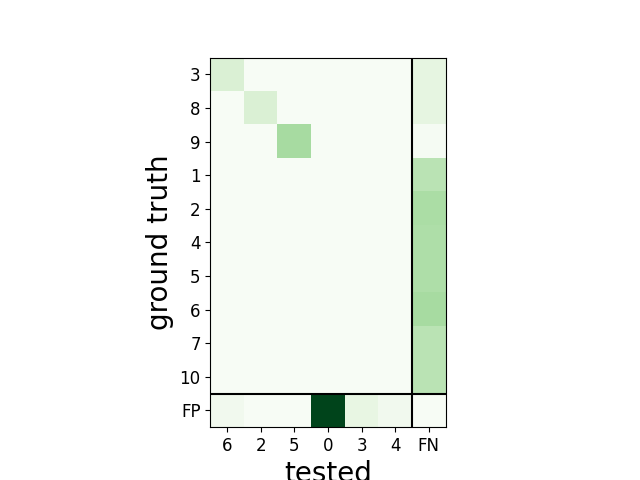
We can compare the spike sorting output to the ground-truth sorting sorting_true using the
comparison module. comp_MS4 and comp_KL are SortingComparison objects
import spikeinterface.comparison as sc

comp_MS4 = sc.compare_sorter_to_ground_truth(sorting_true, sorting_MS4)
comp_KL = sc.compare_sorter_to_ground_truth(sorting_true, sorting_KL)
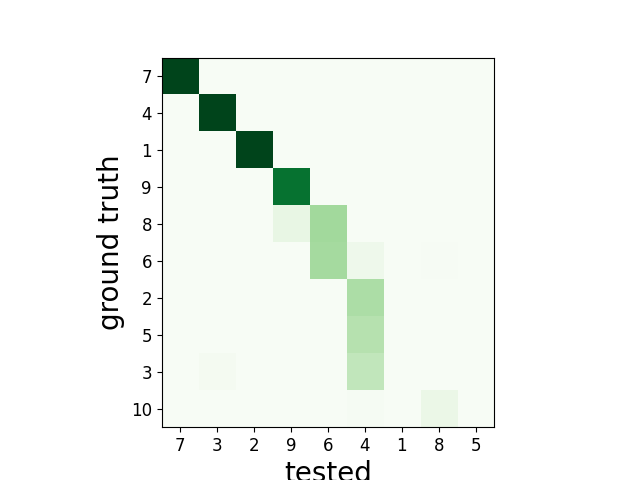
plot_confusion_matrix()
w_comp_MS4 = sw.plot_confusion_matrix(comp_MS4, count_text=False)
w_comp_KL = sw.plot_confusion_matrix(comp_KL, count_text=False)
plot_sorting_performance()
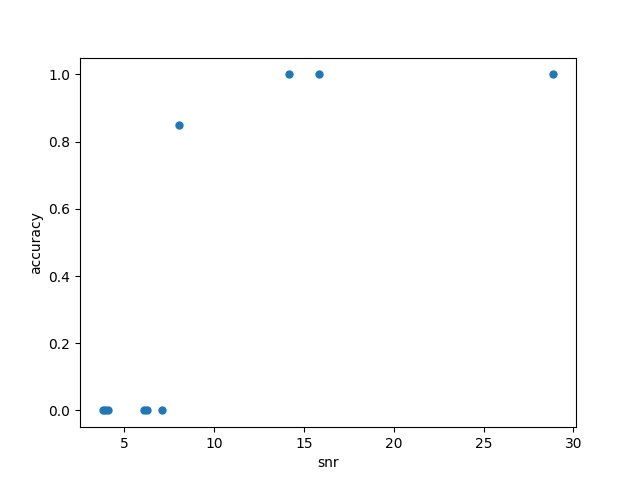
We can also plot a performance metric (e.g. accuracy, recall, precision) with respect to a quality metric, for
example signal-to-noise ratio. Quality metrics can be computed using the toolkit.validation submodule
import spikeinterface.toolkit as st

snrs = st.validation.compute_snrs(sorting_true, recording, save_as_property=True)

w_perf = sw.plot_sorting_performance(comp_MS4, property_name='snr', metric='accuracy')
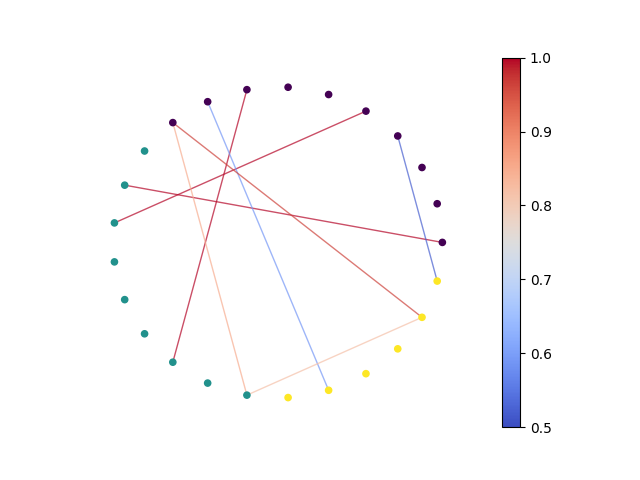
Widgets using MultiSortingComparison
We can also compare all three SortingExtractor objects, obtaining a MultiSortingComparison object.
multicomp = sc.compare_multiple_sorters([sorting_true, sorting_MS4, sorting_KL])
plot_multicomp_graph()
w_multi = sw.plot_multicomp_graph(multicomp, edge_cmap='coolwarm', node_cmap='viridis', draw_labels=False,
                                  colorbar=True)
Total running time of the script: ( 0 minutes 4.355 seconds)