Note
Go to the end to download the full example code.
Handling probe information
In order to properly spike sort, you may need to load information related to the probe you are using.
SpikeInterface internally uses ProbeInterface to handle probes or probe groups for recordings.
Depending on the dataset, the Probe object may already be included or might need to be set
manually.
Here’s how!
import numpy as np
import spikeinterface.extractors as se
First, let’s create a toy example:
recording, sorting_true = se.toy_example(duration=10, num_channels=32, seed=0, num_segments=2)
print(recording)
InjectTemplatesRecording: 32 channels - 30.0kHz - 2 segments - 600,000 samples - 20.00s
                          float32 dtype - 73.24 MiB
Segments:
Samples:   300,000 | 300,000
Durations: 10.00s | 10.00s
Memory:    36.62 MiB | 36.62 MiB
This generator already contain a probe object that you can retrieve directly and plot:
probe = recording.get_probe()
print(probe)

from probeinterface.plotting import plot_probe

plot_probe(probe)
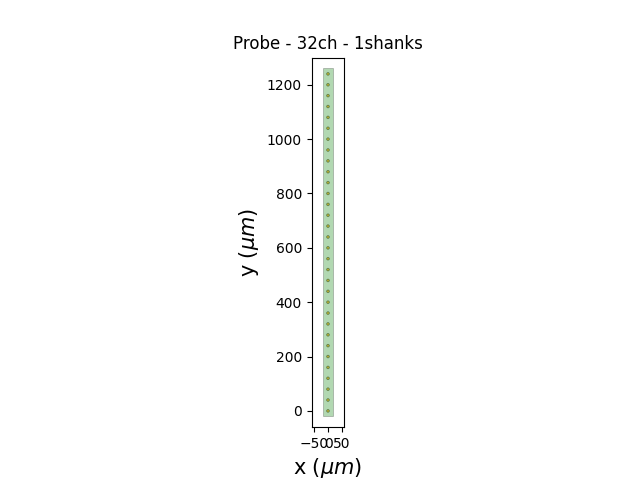
Probe - 32ch - 1shanks

(<matplotlib.collections.PolyCollection object at 0x7fda6d317d00>, <matplotlib.collections.PolyCollection object at 0x7fda6d344460>)
You can also overwrite the probe. In this case you need to manually make the wiring (e.g. virtually connect each electrode to the recording device). Let’s use a probe from Cambridge Neurotech with 32 channels:
from probeinterface import get_probe

other_probe = get_probe(manufacturer='cambridgeneurotech', probe_name='ASSY-37-E-1')
print(other_probe)

other_probe.set_device_channel_indices(np.arange(32))
recording_2_shanks = recording.set_probe(other_probe, group_mode='by_shank')
plot_probe(recording_2_shanks.get_probe())
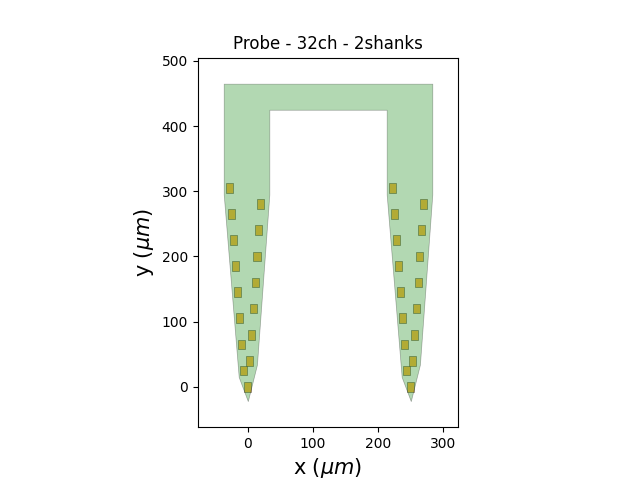
ASSY-37-E-1 - cambridgeneurotech - 32ch - 2shanks

(<matplotlib.collections.PolyCollection object at 0x7fda6d9e9ba0>, <matplotlib.collections.PolyCollection object at 0x7fda6d16b8b0>)
Now let’s check what we have loaded. The group_mode=’by_shank’ automatically sets the ‘group’ property depending on the shank id. We can use this information to split the recording into two sub-recordings:
print(recording_2_shanks)
print(recording_2_shanks.get_property('group'))

rec0, rec1 = recording_2_shanks.split_by(property='group')
print(rec0)
print(rec1)
InjectTemplatesRecording: 32 channels - 30.0kHz - 2 segments - 600,000 samples - 20.00s
                          float32 dtype - 73.24 MiB
Segments:
Samples:   300,000 | 300,000
Durations: 10.00s | 10.00s
Memory:    36.62 MiB | 36.62 MiB
[0 0 0 0 0 0 0 0 0 0 0 0 0 0 0 0 1 1 1 1 1 1 1 1 1 1 1 1 1 1 1 1]
0
1
Note that some formats (MEArec, SpikeGLX) automatically handle the probe
geometry. For almost all other formats the probe and the wiring have
to be set manually using the probeinterface library.
Total running time of the script: (0 minutes 0.285 seconds)